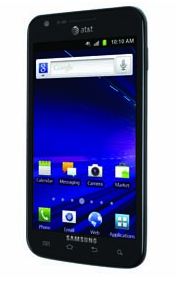
 The Samsung Galaxy S II (S2) Skyrocket can be updated to Android 4.04 ICS through the Kies app. Unfortunately, users in forums have reported bugs from the update. In the meantime, Samsung posted on its website that the Kies was experiencing a high volume of traffic.
Android 4.0 Ice Cream Sandwich adds some features such as Android Beam, Face Unlock, a new UI and improved camera (see all features and video). Th SG S2 does support NFC therefore Android Beam should work. Android 4.04 running on the Samsung Galaxy S II Skyrocket is not perfect, upgraded have reported issues and problems.
Samsung Android ICS bugs include:
- Worse battery life.
- GPS not locking on signal.
- Keyboard lag.
- Problems connecting to AT&T voice network.
- GPS and battery functions showing large data usage.
- Contacts crashing. Contact doubling in texts (see below).
- Screen freezes during web browsing.
- Greater memory usage.
- Camera malfunctions.
- Wi-Fi constantly scanning, disconnects and huge data downloads.
- Note this kind of problem has been reported on the other Samsung Galaxy S II models when updated to ICS 4.03 which was fixed for many with 4.04.
- Some workarounds include performing a factory data reset or creating a new Wi-Fi network on the phone using 2.4GHz only.
- Another fix is to Go to the Wi-Fi settings, click and hold the network you have saved eg:linksys, go to modify network config , then tick a box for show Advanced options, .. Change from DHCP to static.
- Use Wi-Fi button on the power savings widget to turn on/off and Go Settings, Wireless and networks + more, enable and disable Wi-Fi Direct.
The update is only be available via the Kies desktop software for Mac and PC.
Features of Android ICS include an enhanced new homescreen, Recent Apps shortcut to ease multitasking, new lock/unlock features including Face Unlock, improved home screen folders, a new notifications bar and an app to help you track your data usage.
How to Update your Samsung Galaxy S II via Kies:
- On the PC, open the Kies application.
- Connect the device to the computer using the included USB cable.
- Once Kies recognizes the device, a popup window will appear.
- Click Update.
- Read the Caution statements and select the I have read… check box.
- If desired, select Allow saving to back up the device. If not, select Proceed without saving.
- Click Start Upgrade.
- The software will download to the PC, and then to the device.
- When the update is done a notice will appear.
- Click OK to confirm.
Updates can take 5 to 30 minutes. Do not press any buttons to run menu during the upgrade process. Do not connect any other mobile devices to the computer while upgrading. Do not disconnect the cable until the upgrade is complete.
Some things will be reset:
- Home screens: Items that have been added to the home screen, such as home screens that have been added/removed, applications, widgets, and wallpaper (if the current wallpaper is not supported by ICS) are reset to default. Lock screen images will be preserved.
- Application Menu: The application menu sorting, folders and home keys will be reset. Downloaded applications will be preserved.
- Contact Groups: All Contacts and Contact groups will remain. However. contacts within the contact groups will be removed.
- Email: Email accounts that were added as a Social Hub or Samsung premium account will be removed.
- Music: Music playlists and settings (Equalizer,Sound effect, Music menu) will be reset during the update.
- Bluetooth: Paired bluetooth devices will be removed during the reset.
I updated my phone system/software and hate the fact that I'm not able to take screen shoots anymore. There have been to many changes and i think you should have an option of the add on's.
Now you press the volume and power button for screenshots that should work. But I have many other issues plus we didn't get the new People App.
Now you press the volume down button and power button at the same time for screenshots that should work. But I have many other issues plus we didn’t get the new People App.
I tried the update to Ice cream on my skrocket and the update errored out right in the middle of the update tried samsungs emergency recovery and it did not work. I contacted samsung and had their tech. walk me through a number of ways to get my phone back operational; to no avail now I cant use my phone and samsung has not come up with any solutions......DO NOT UPDATE YOUR PHONE THROUGH KIES I wish someone would have warned me.....very mad and frustrated I have been at it trying to get my phone back operational for the past 5 hrs. GGrrrrrrrrrr
I too had the same problem. I had to send mine to Samsung to fix and just got it back about 20 mins ago. Kies didn't save anything when I backed it up and bricked my pine. I totally feel your pain and unfortunately that's the only option they said there was.
Just hold down the same buttons a little bit longer... (power and home) Same results. I surely thought the same even had problems with Swype.
Yay hold power and home for a few seconds to take screenshot. Still don't like ICS yet.
I updated my phone system/software last night and hate everything.. The only thing I want right now is having the old system/software again.. The screen shoots, the keypad, everything.. 7 months ago I got what for me was the 'best' phone in the store, and now I have a phone like the one I had 3 years ago.. I want my old Galaxy S2 back.. Please..
To take screenshots on the ics upgrade you hold bolume down and the power button 🙂
How do you take screen shots? Also with the new update, if i am on the phone and text comes in it beeps in my ear. How can i turn that option off?
No more screenshots and it's really slow and freezes a LOT. It's like the Vista of Android. DO NOT DOWNLOAD IT'S NOT WORTH IT YET!
i've tried the volume down and power button so many times and still have not gotten one screen capture
Jariel,
Just hold the down or up volume along with the power button, hold it for about 5 seconds and it should take the capture. It's been working for me.
I agree, the update is terrible. I like some aspects of it, but battery life sucks. It's nice to have a battery gauge now with the percent, however, the battery life is way worse. I would usually go through the day and come home with 30%, now when I get home, I have 15% or less... among other things, this update is not good.
Actually, for the skyrocket you press the home button and power button at the same time and hold it.
OMG.. don't they test these thing on their own devices?? Seems like this udpate has MORE bugs than a bowl of sugar on an ant hill!
Does anyone know what ATT says about all these bugs?
Should I update and risk it?
I don't seem to see the Recent Apps icon. Am I missing something?
I just update my phone last night i hate evrything its gone totally slow
I want my old samsung s2 back will somebody help me plz
Power button and home button takes a screen schot
After the upgrade, I did a total reset, loaded APEX launcher and it runs great...much better battery life...
All of the artists names in my various music playlist that I created were changed to unknown artist when my upgrade completed.I expected the names to be unchanged. Is anyone else having this problem. Will I have to wait for the next fix to correct this problem.
The one issue that they forgot to mention is bluetooth contantly pair devices that have already been successfully paired.
I just received my samsung ics upgrade back from samsung,surprisingly all of my pictures are gone,can't do screenshot even if I hold the power and volume button down, other than that everything is ok...make sure you back-up everything before you do the ics upgrade.